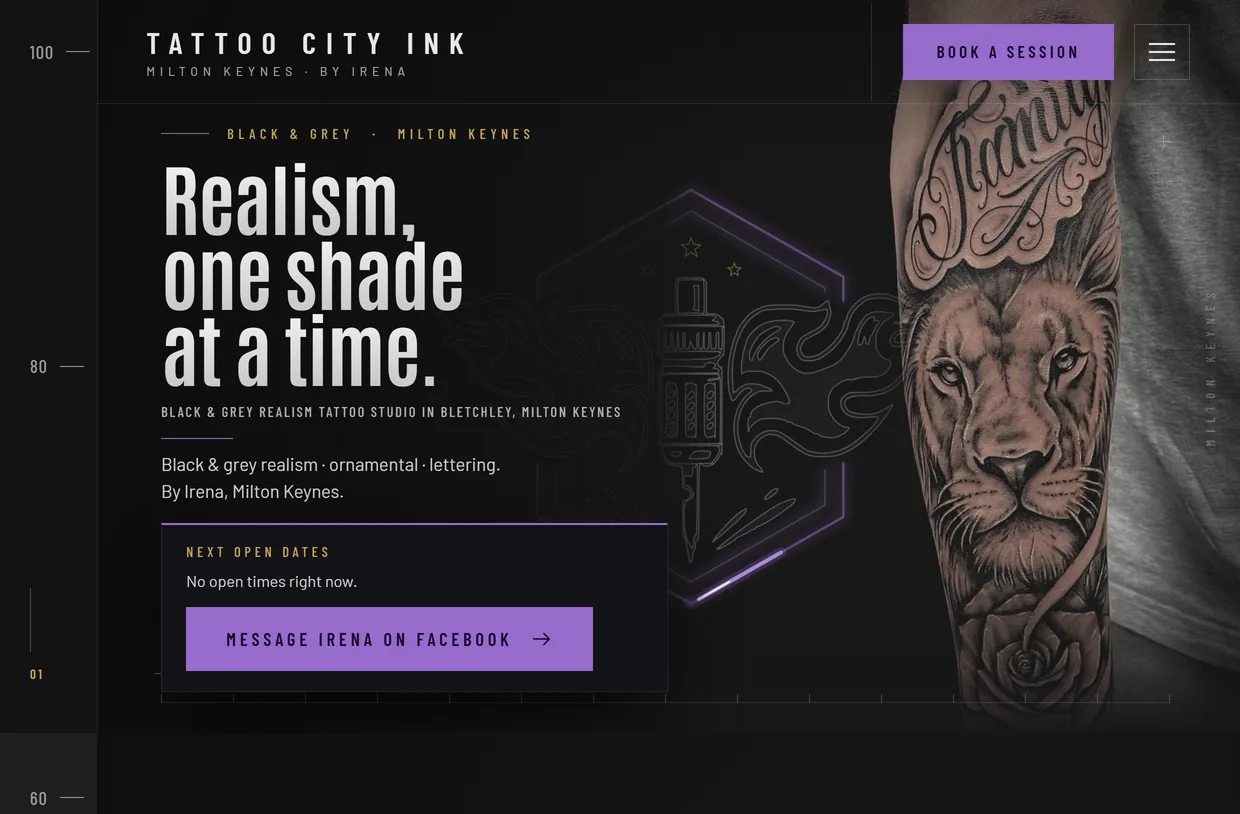
Irena tattoos black and grey realism, ornamental work and lettering in her studio in Bletchley, Milton Keynes, and she works alone. Until November 2026 her bookings came in as Facebook messages. She asked us for a website with online booking because she could not keep up with the replies while she was tattooing.
We built tattoocityink.co.uk so a client can pick a time and pay the deposit without waiting for her to reply. Irena still takes some bookings by message, and one button keeps those times off the website. That button was her idea, not ours.
What a client sees
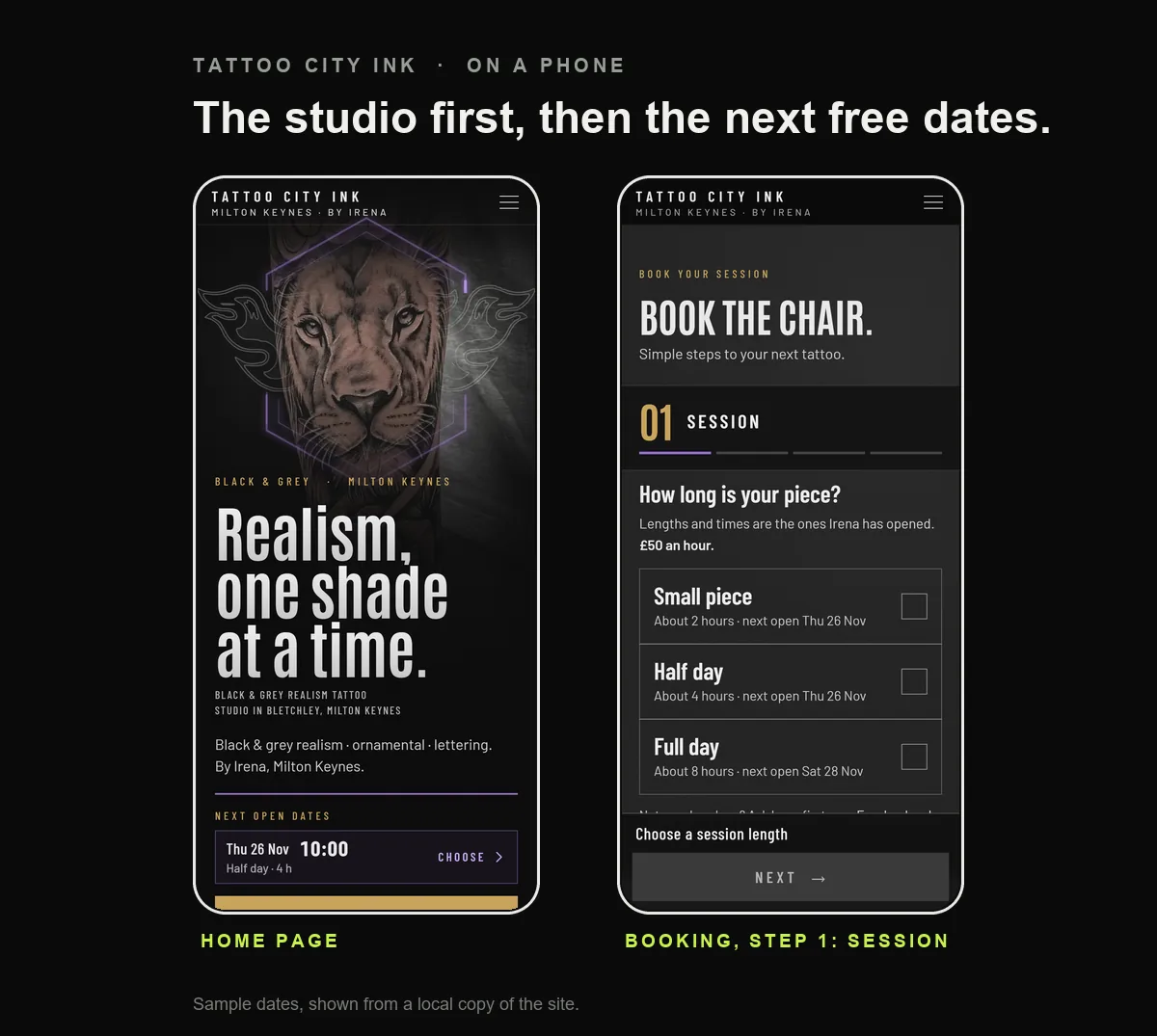
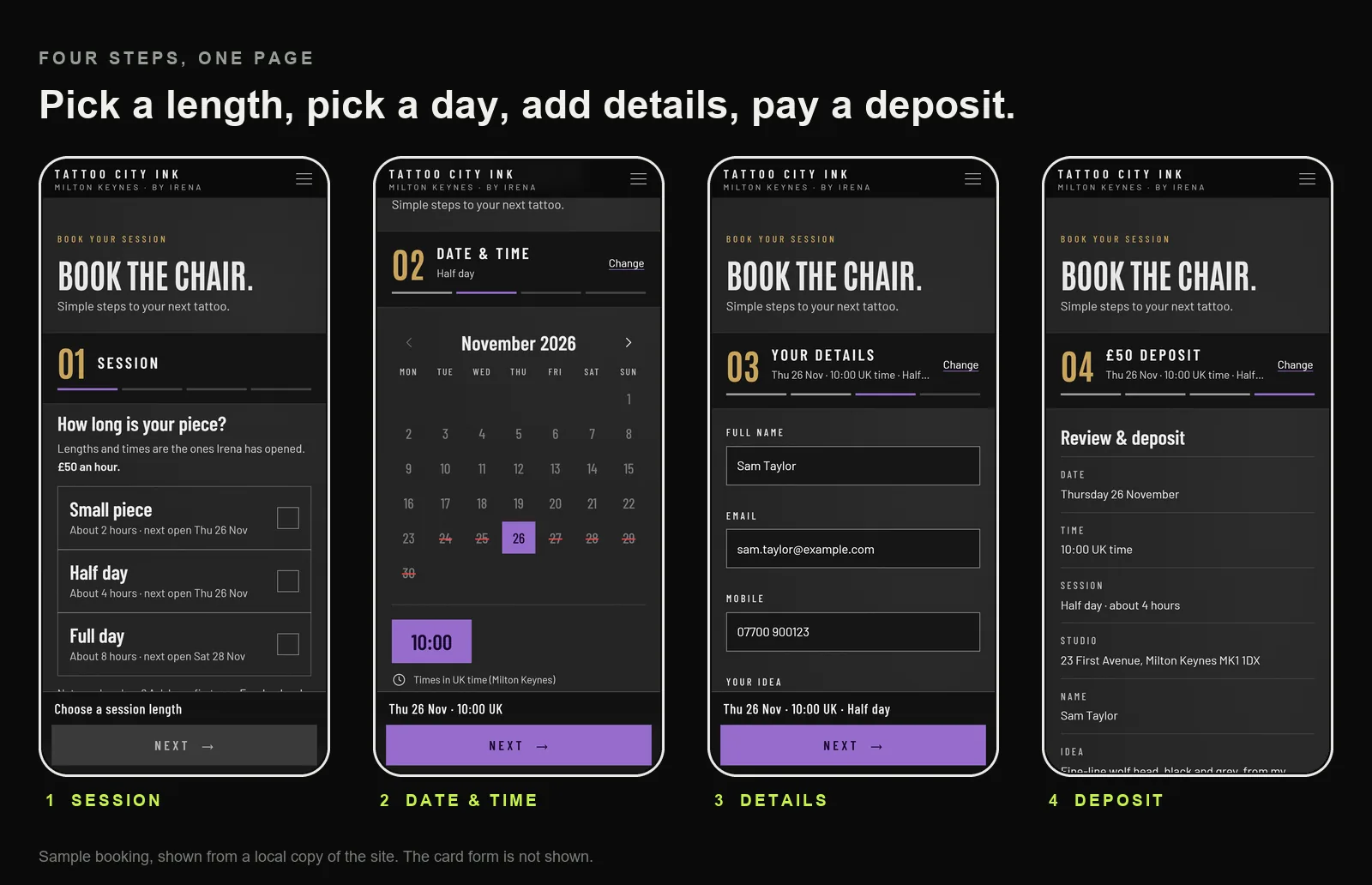
A person who finds Irena on Google lands on her work first, then on a card showing her next open dates. Booking takes four steps on one page:
- Choose how much time to book: a small piece of about two hours, a half day of about four, or a full day.
- Pick a free date and time from her calendar.
- Give a name, email and mobile number, then the idea, the placement and the approximate size, with an optional reference photo or link.
- Pay the £50 deposit. It comes off the final price, and the balance is settled on the day.
While the client pays, that time is held for them, so two people cannot buy the same slot.
Money, and what the site never touches
The deposit goes through Square into Irena's own Square account, by card, Apple Pay or Google Pay. Card details travel from the client's browser straight to Square. The website never sees the card number.
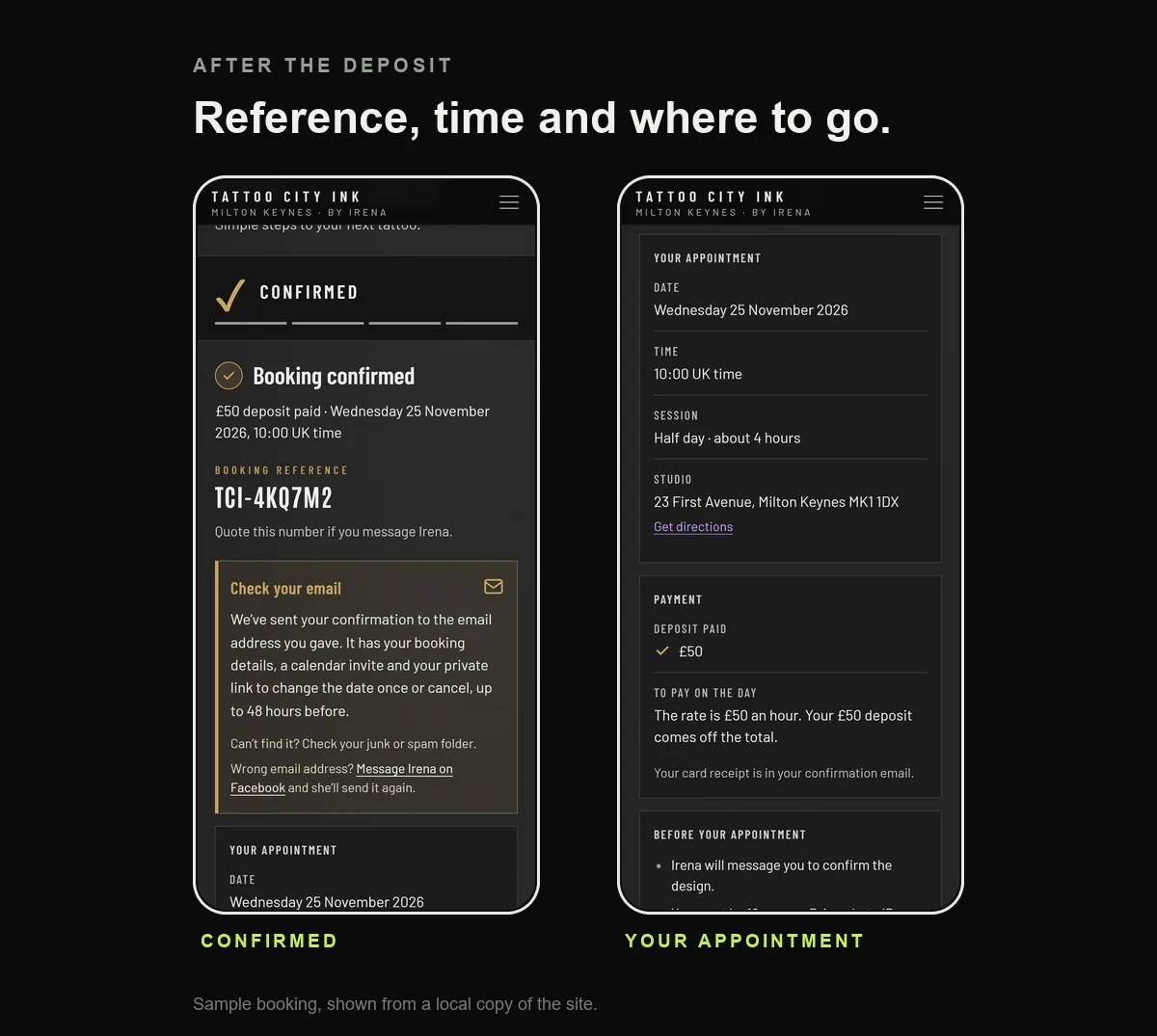
Afterwards the client gets a confirmation email with a calendar file and a private link to move or cancel the booking. Reminders go out about three days and one day before. Her studio is in a locked building, so the confirmation tells people to ring the intercom when they arrive.
The part she shaped: Mark busy
Our first plan had a second screen in her panel for bookings she takes herself, where she would type in a client who had booked by Messenger or phone. We asked her about it. She told us she keeps her own diary and a notebook for those clients and did not want to enter their details into an app. As she saw it, the website was for the people who find her on Google.
She was right, and the plan was wrong. But her answer left a real problem. If she agrees a Thursday afternoon with a regular on Messenger, the website must stop selling that Thursday afternoon to a stranger.
So the manual-booking screen became one button. In her panel she presses Mark busy, picks a start and an end time, optionally types a note such as "Messenger client", and presses Block this time. The panel's own help line reads: "Use this when you book someone yourself. The website stops offering anything that overlaps." She does not have to copy anyone's details out of her notebook. On the site, that time drops out of the open times. Change of plan? She removes the block and it returns.
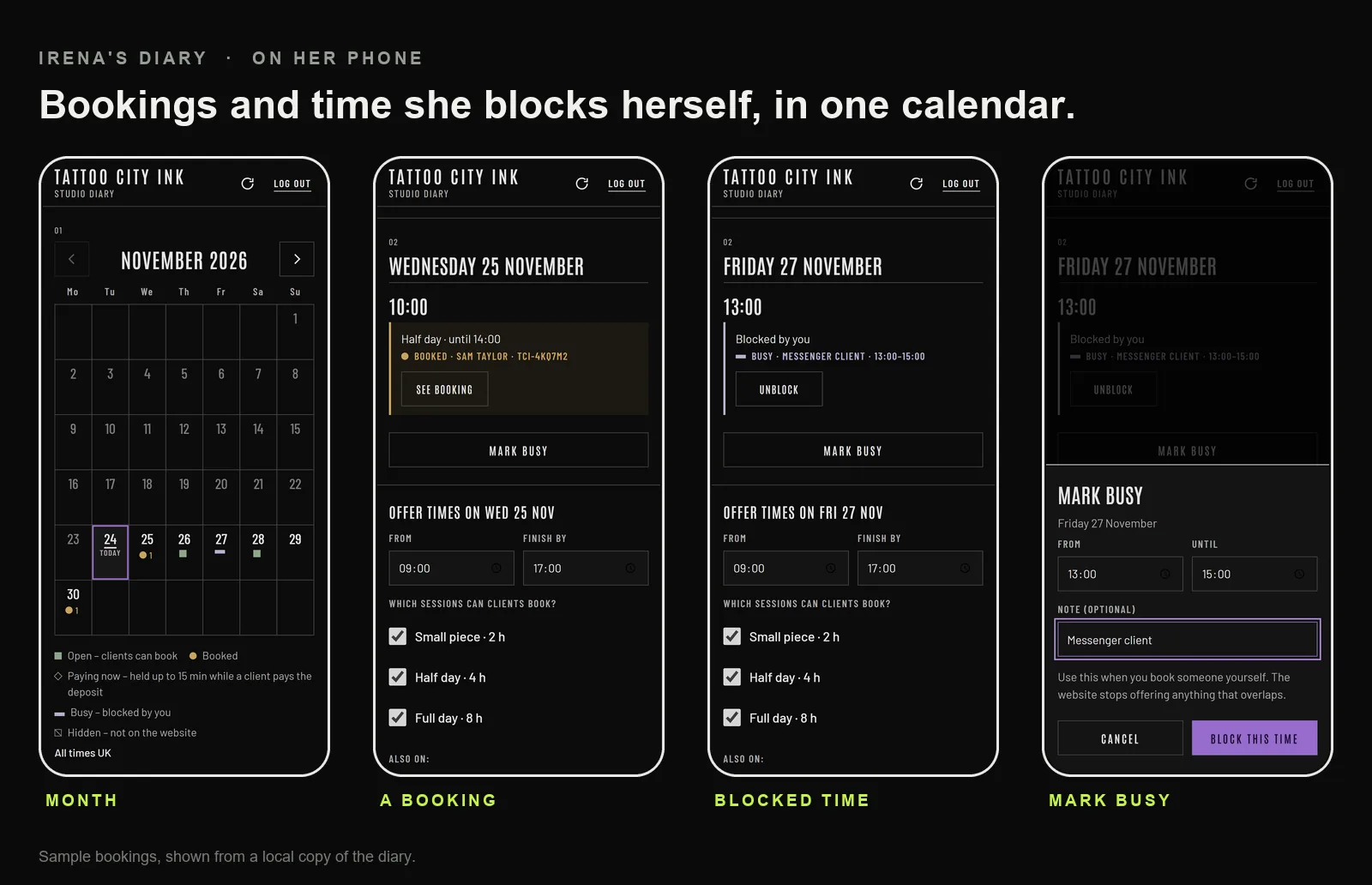
What she can do from her phone
The panel sits behind a PIN and works on her phone. When a booking arrives she gets an email and an alert. If she has to cancel a booking, she refunds the deposit from the panel. If a client typed the wrong email address, she corrects it and sends the confirmation again.
Her privacy page says booking details and reference photos are deleted automatically 12 months after the appointment.
Before launch, Irena booked herself in as a client on 24 November 2026, paid the £50 and refunded it from her own panel within the same minute.
Fast, and watched
Google's PageSpeed Insights gives the site 97 out of 100 on phones and 99 on computers (our median score, measured on 24 November 2026). We also check the site automatically, including the page, its open times and its payment set-up, and we get an alarm if any of them stops answering.
If you run a one-person business that takes appointments
If you work on your own doing tattoos, lashes, nails, permanent make-up or barbering, the same set-up lets your clients pick a time, pay a deposit and get reminders, and gives you the same panel. It is built for one person: it does not do rotas for a team.
